
How do I automatically rotate tabs in Chrome?
Install Tab Rotator, select your tabs or create a URL playlist, configure the rotation interval, and press Start. The extension switches between pages automatically.
Automatically rotate Chrome tabs and refresh pages on a schedule. Tab Rotator is a Chrome extension for displaying dashboards, Google Sheets, Google Slides, Excel Online, and other web pages on TVs, office screens, kiosks, and digital signage displays.
Choose your tabs or enter a list of URLs, set the rotation interval, and press Start. Tab Rotator switches between pages automatically and refreshes each page after it is shown, helping keep your displays up to date.
Free to install, with optional Premium plans starting at $6.99/month.
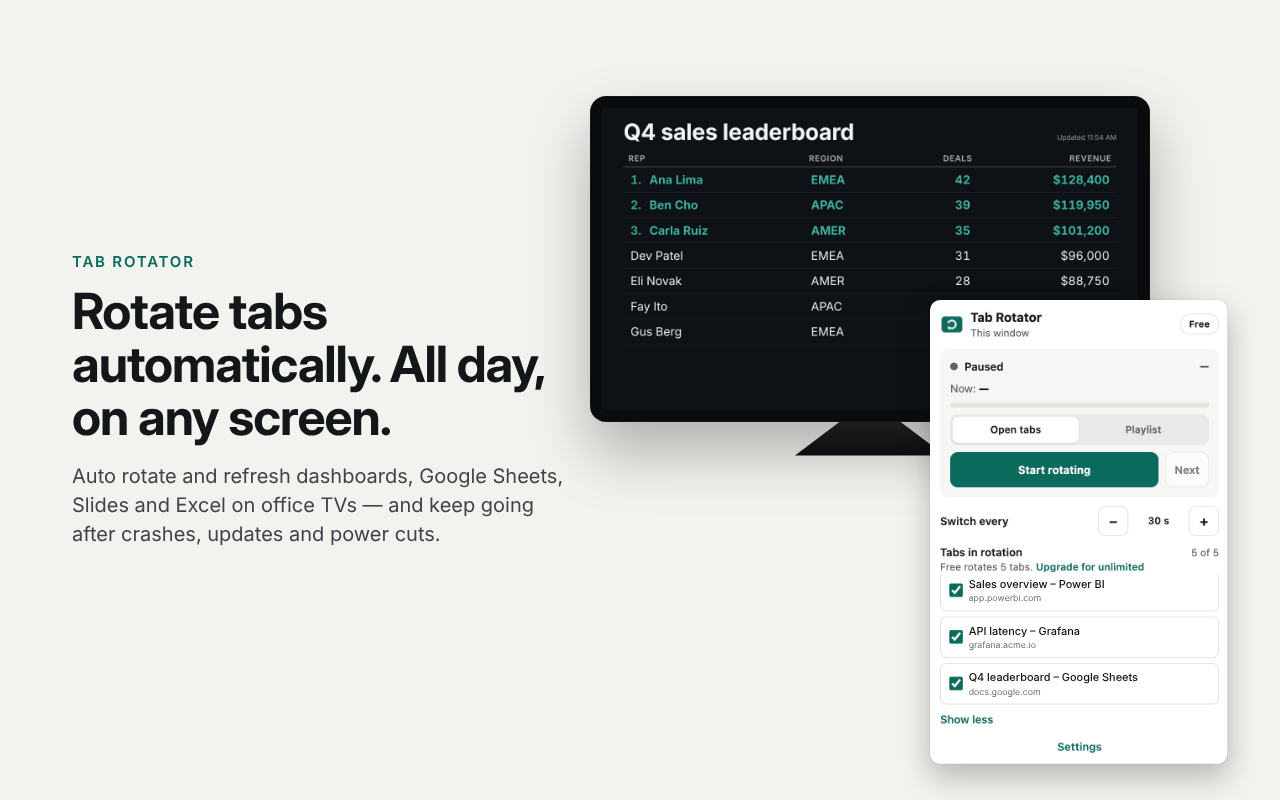 1 / 5
1 / 5Tab Rotator is an automatic tab switcher for Google Chrome. It lets you display multiple web pages on a single screen without manually switching between tabs.
Use it to rotate business dashboards, sales reports, monitoring pages, presentations, spreadsheets, announcements, and other browser-based content.
For screens that run all day, Tab Rotator can also resume rotation after supported browser restarts, crashes, power interruptions, or updates.
Switch between selected Chrome tabs at configurable intervals.
Refresh pages after they are displayed, with normal or hard refresh options.
Save a list of URLs and reuse it for recurring displays.
Display Google Sheets, Google Slides, Excel Online, and YouTube in supported full-screen modes.
Create announcements, clocks with time zones, countdowns, and QR codes.
Configure rotation to start with Chrome and resume after supported interruptions.
Help prevent the display from sleeping, with an option to pause while someone uses the computer.
Use Tab Rotator in English, 简体中文, हिन्दी, Español, Português (Brasil), Bahasa Indonesia, Русский, 日本語, Deutsch, Français, Türkçe, 한국어, Tiếng Việt, বাংলা, العربية, Italiano, Nederlands, Polski, and ไทย.
Tab Rotator’s popup, options, and slides are localized. Pick a language in Settings, or follow Chrome’s UI language.
Get started with automatic Chrome tab rotation at no cost.
For digital signage, kiosks, and dashboards that run 24/7. Premium unlocks advanced tools for unattended screens and multi-screen deployments.
$6.99 / month or $69.90 / year per screen.
Display sales KPIs, business metrics, spreadsheets, reports, and team performance dashboards on office TVs. Rotate between multiple pages so teams can see more information on one screen.
Show announcements, schedules, presentations, and web-based information on lobby displays, reception screens, and other digital signage setups.
Cycle through selected web pages on unattended browser displays. Configure rotation and recovery behavior for supported kiosk workflows.
Rotate between monitoring dashboards, system status pages, operational reports, and other browser-based tools without switching tabs manually.
Keep sales reports and performance dashboards visible on shared screens. Premium supports live data tables from Google Sheets or CSV for use cases such as sales leaderboards and KPI boards.
For screens that operate continuously, configure startup, scheduling, and recovery options according to your setup.
Practical setups nested under Tab Rotator- use cases · guides.
Use cases
Display multiple dashboards on a TV with Tab Rotator. Automatically switch between browser tabs, refresh pages, and keep business dashboards visible.
Guides
Learn how to display Power BI dashboards on a TV using Chrome, then automatically rotate between reports with Tab Rotator.
Guides
Show Google Sheets on a TV with Chrome. Learn free browser setups, refresh options, troubleshooting, and when Tab Rotator helps rotate multiple sheets.
Guides
Learn the difference between auto-refreshing a Chrome page and auto-rotating tabs. See when you need each-and how Tab Rotator supports both.
Guides
Set up Chrome for unattended dashboard TVs: fullscreen, auto-start ideas, and recovery-clearly separating OS/Chrome settings from Tab Rotator features.
Guides
Keep Grafana dashboards visible on a TV: browser rotation, session limits, kiosk options, and when Tab Rotator is enough vs Grafana’s own tools.
Use cases
Use Chrome to rotate dashboards, reports, and web pages on a TV. Explore a simple browser-based digital signage workflow with Tab Rotator.
Guides
HTML checklist for reliable TV dashboards: power, Chrome, auth, rotation, refresh, and recovery-use with Tab Rotator setups.
See how Tab Rotator differs from digital signage platforms- all comparisons.
Compare
Compare Tab Rotator vs Yodeck for displaying dashboards, websites, and business reports on TVs. Explore features, pricing, and the best option for your setup.
Compare
Compare Tab Rotator vs OptiSigns for displaying dashboards, websites, and reports on TVs. Explore features, pricing, and which solution fits your needs.
Compare
Compare Tab Rotator vs Fugo for displaying business dashboards, websites, and reports on TVs. Review pricing, Power BI support, and key differences.
Compare
Compare Tab Rotator vs ScreenCloud for displaying dashboards and websites on TVs. Review pricing, features, hardware, and simpler browser-based alternatives.
Compare
Compare Tab Rotator vs Rise Vision for displaying dashboards, websites, and reports on TVs. Explore pricing, features, and which solution fits your needs.
Compare
Compare Tab Rotator vs TelemetryTV for TV dashboards. See when browser tab rotation is enough-and when you need a full digital signage platform.
Install Tab Rotator, select your tabs or create a URL playlist, configure the rotation interval, and press Start. The extension switches between pages automatically.
Yes. Tab Rotator is designed for browser-based displays, including office TVs and dashboard screens. You can rotate between supported web dashboards, reports, spreadsheets, and presentations.
Yes. Tab Rotator can refresh pages after they are shown, with normal and hard refresh options. You can configure the refresh behavior for your workflow.
Yes. You can use it to cycle through web pages, announcements, presentations, and supported dashboard content on digital signage screens. Advanced scheduling and recovery features are available with Premium.
Tab Rotator supports Google Sheets and Google Slides as display sources. Some display behaviors depend on the page, permissions, and configuration. Premium also supports live data tables sourced from Google Sheets or CSV.
Tab Rotator provides startup and recovery options intended for continuous displays. Recovery behavior can depend on the type of interruption, Chrome settings, network availability, and the authentication requirements of the pages being displayed.
Yes. The Free plan supports up to 5 tabs and one playlist with up to 5 URLs or slides. Premium costs $6.99 / month or $69.90 / year per screen and unlocks additional capabilities.
Tab Rotator does not sell browsing history. Playlists remain on your device unless you enable sync. Screen monitoring is opt-in and does not send URLs or page titles, as described in the privacy policy.
Tab Rotator is available in 19 languages: English, 简体中文, हिन्दी, Español, Português (Brasil), Bahasa Indonesia, Русский, 日本語, Deutsch, Français, Türkçe, 한국어, Tiếng Việt, বাংলা, العربية, Italiano, Nederlands, Polski, and ไทย. Choose a language in Settings, or follow Chrome’s UI language.
Tab Rotator does not sell browsing history. Playlists stay on your device unless you turn on sync. Screen monitoring is opt-in and does not send URLs or page titles.
Turn a Chrome browser into an automatic dashboard display. Rotate tabs, refresh pages, and keep important information visible on TVs, kiosks, and office screens.
Add Tab Rotator to Chrome - FreeExplore other Pick Ads extensions, or browse the full extensions directory.