
Pick Ads
Chrome extensions from Pick Ads
Five Chrome extensions from Pick Ads: Adblock, Attachly, Tab Rotator, HeaderSwap and Product Image Downloader. Install from the Chrome Web Store; each has its own privacy policy and Premium billing.
Ad blocking · Privacy
Adblock: Block Facebook Ads & Popular Sites
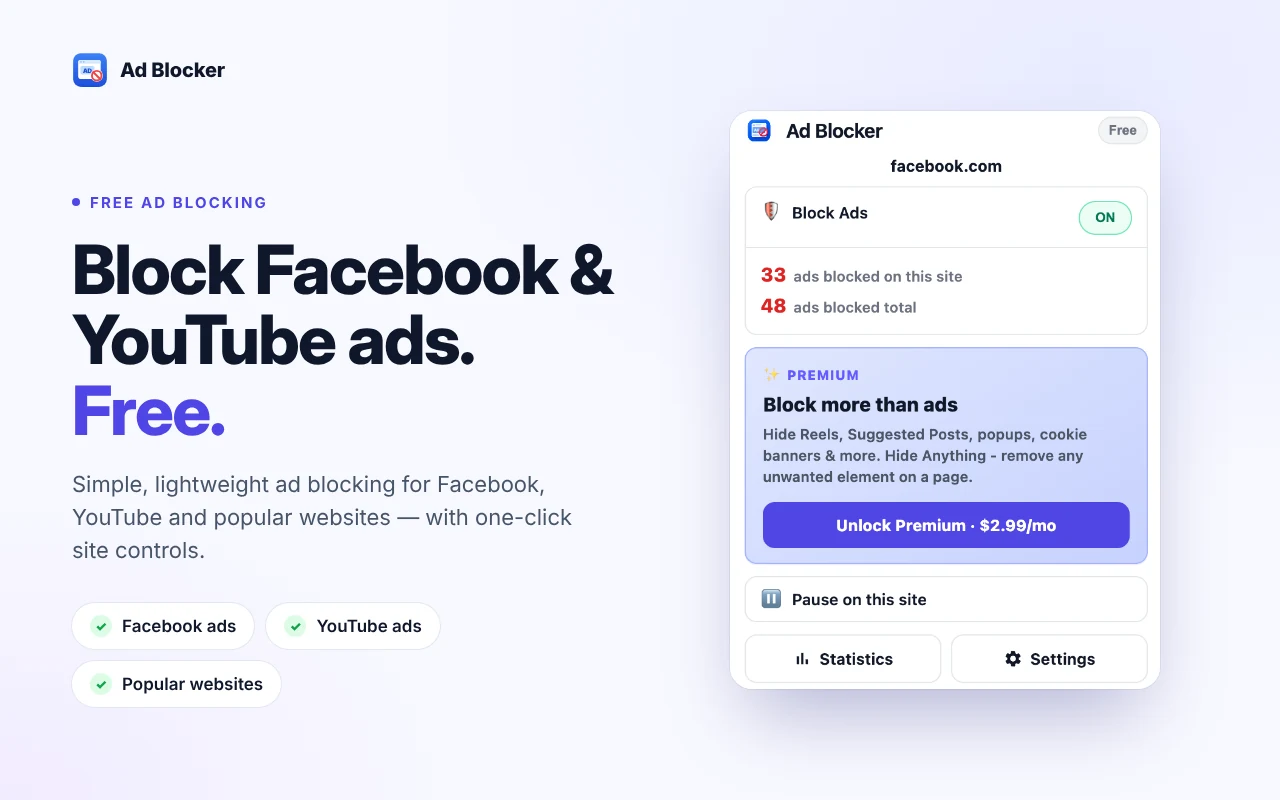
Blocks ads on Facebook, YouTube and popular websites for free. Pause protection on any site and see how many ads were blocked.
- Hides sponsored posts and supported ad elements on Facebook
- Blocks supported ads on YouTube and popular websites, with no setup
- Shows ads blocked on the current site and your running total
- Blocking runs locally in your browser. No browsing history or page content is uploaded.
Free
$0
- Hide Facebook sponsored posts
- Block ads on YouTube and popular sites
- Ads-blocked counter per site and in total
- Pause protection on any site
Premium
Monthly
Yearly
$29.99 / year
- Facebook Feed Controls: Reels, Suggested Posts and Recommendations
- Block Distracted: floating videos, popups, notification prompts
- Hide Cookie Banners
- Hide Anything: remove unwanted elements on a page
Opens checkout in a new tab. Sign in with Google to buy or manage Premium. Cancel anytime.
Screenshots
Store listing previews (1280×800).
 1 / 5
1 / 5Productivity · Gmail
Attachly – Print PDF & Bulk Attachments
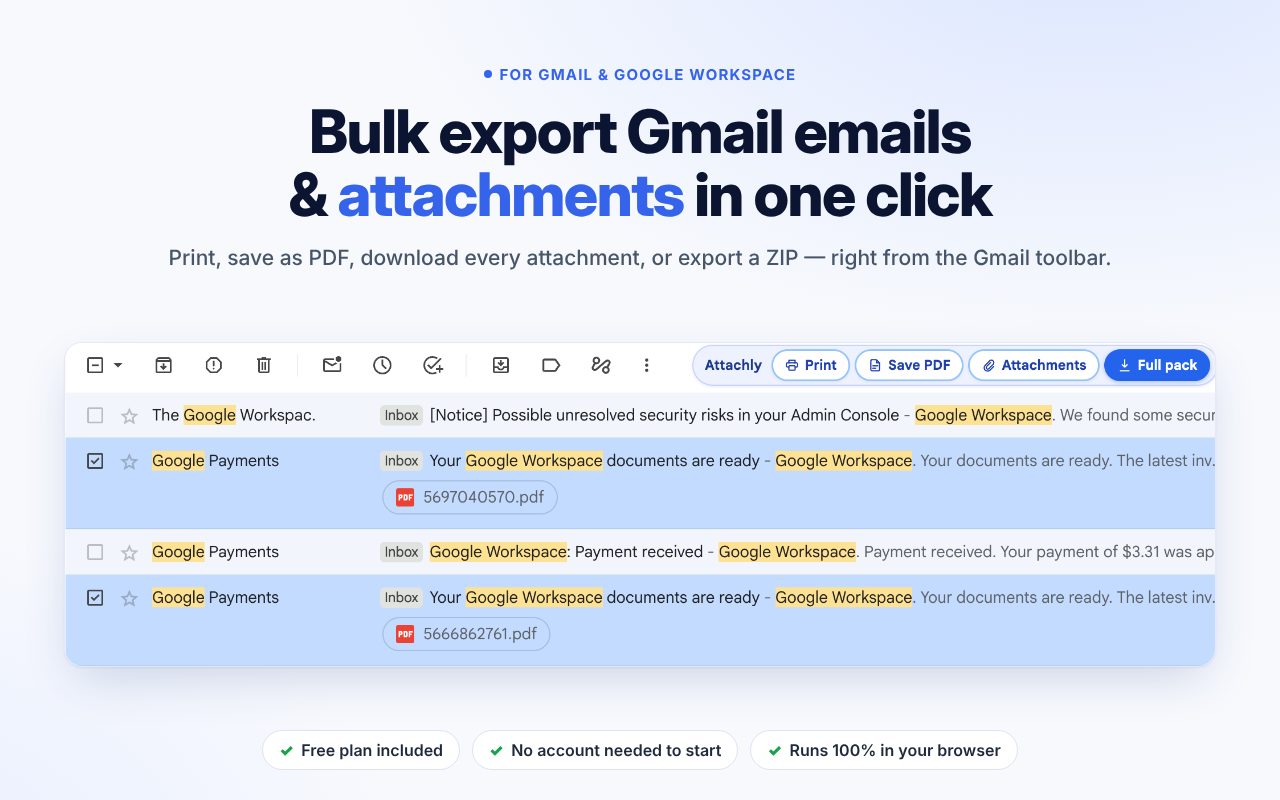
Download all Gmail attachments in bulk, save emails as PDF, print, or export emails + files to ZIP from the Gmail toolbar.
- One-click Print, Save PDF, Attachments and Full pack on the Gmail toolbar
- Bulk-download every attachment with its original filename
- Full pack: emails + attachments in one dated ZIP
- Runs in your browser — email content is never uploaded to Pick Ads
Free
$0
- Print: unlimited, always free
- Save PDF, Attachments, Full pack: 3 each per day
- No account needed for Free
Premium
Monthly
Yearly
$69.99 / year
- Unlimited Save PDF, Attachments, and Full pack
- Print stays free and unlimited
- Cancel immediately at any time
Opens checkout in a new tab. Sign in with Google to buy or manage Premium. Cancel anytime.
Not affiliated with or endorsed by Google. Gmail and Google Workspace are trademarks of Google LLC.
Screenshots
Store listing previews (1280×800).
 1 / 5
1 / 5Tab management · Dashboards
Tab Rotator – Auto Rotate & Refresh Tabs
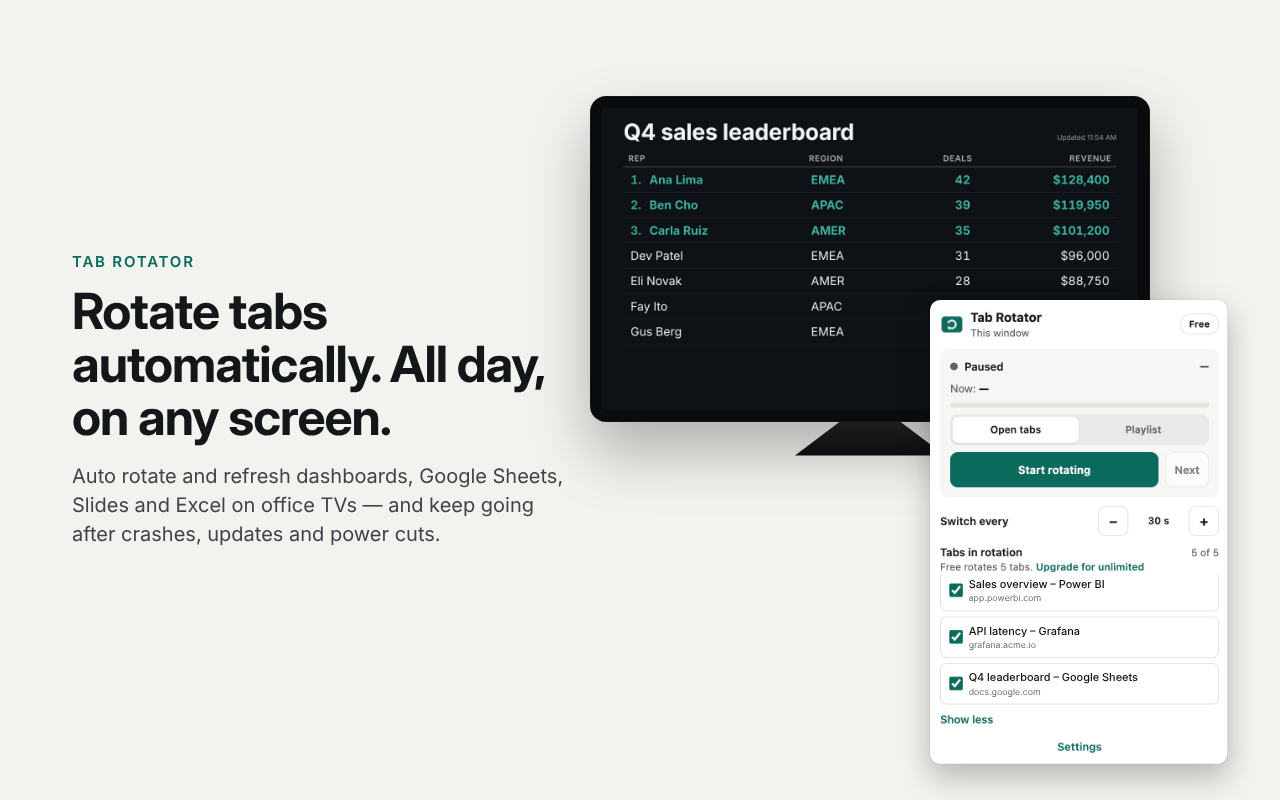
Automatically rotates through your open tabs at an interval you choose. Built for dashboards, wall displays and info screens.
- Auto rotate up to 5 tabs on Free (every 5 seconds to 60 minutes)
- Refresh pages in the background after they are shown
- Smart links for Google Slides, Sheets, Excel Online and YouTube
- Resumes after crashes, power cuts and Chrome updates
Free
$0
- Rotate up to 5 tabs
- One playlist of up to 5 URLs or slides
- Built-in slides: clock, countdown, QR, announcements
- Keep the screen awake; pause while someone uses the computer
Premium
Monthly
Yearly
$69.90 / year
- Unlimited tabs and playlists
- Schedules and self-recovery
- Per-tab timing, zoom, and cloud sync
Opens checkout in a new tab. Sign in with Google to buy or manage Premium. Cancel anytime.
Screenshots
Store listing previews (1280×800).
 1 / 5
1 / 5Developer tools · HTTP
HeaderSwap – Modify HTTP Headers
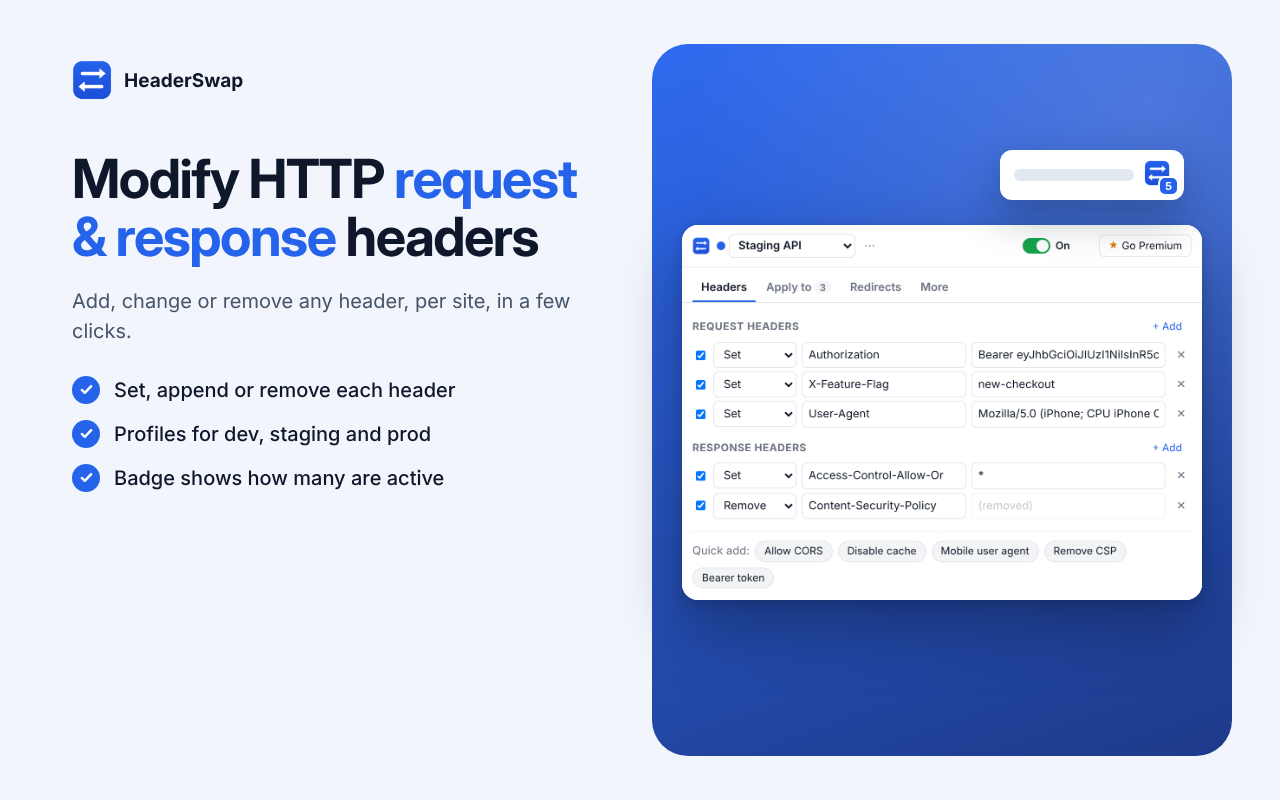
Add CORS headers, change the user agent, send auth tokens, remove CSP and redirect URLs — per site — while you develop and test.
- Add, change or remove request headers (Authorization, Cookie, User-Agent, custom X- headers, and more)
- Modify response headers to fix CORS or remove Content-Security-Policy
- Apply to all sites, or only domains / URL patterns / regex you choose
- Redirect URLs with regex capture groups (for example to localhost)
- Import ModHeader profiles by pasting JSON or dropping a file
Free
$0
- Unlimited request and response headers
- Domain, URL and regex filters
- 2 redirects per profile, up to 3 profiles
- Presets, import, export and share links
Premium
Monthly
Yearly
$40 / year
- Unlimited redirects per profile
- Cloud sync for Premium profiles
- Tab-only mode and advanced filters
Opens checkout in a new tab. Sign in with Google to buy or manage Premium. Cancel anytime.
HeaderSwap is independent and not affiliated with ModHeader. ModHeader is named only to describe profile import compatibility.
Screenshots
Store listing previews (1280×800).
 1 / 5
1 / 5E-commerce · Images
Product Image Downloader for Amazon, Shopee & Etsy
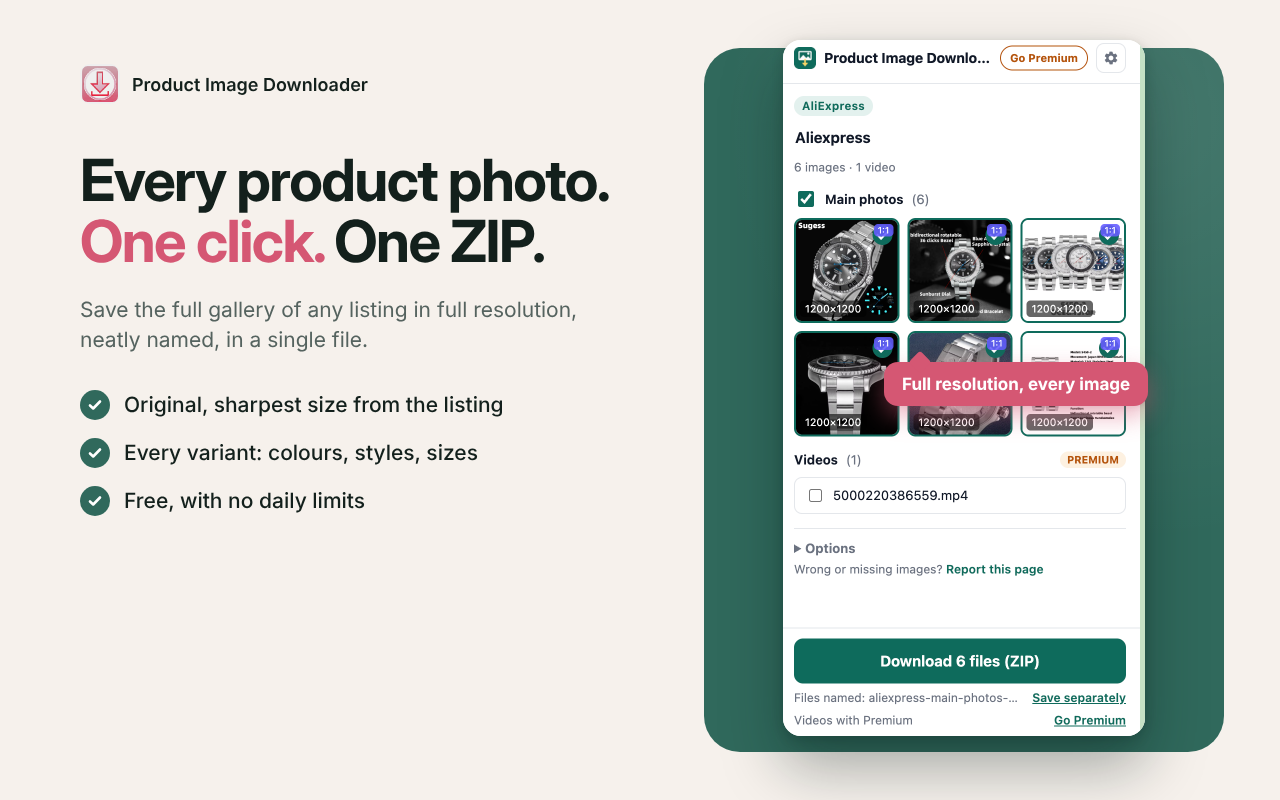
Save every product photo from a listing in one click: full resolution, every variant, neatly named, in a single ZIP. No ads, and no daily limits on Free.
- Works on Amazon, Shopee, Etsy, AliExpress and Shopify stores; other sites fall back to “all images on this page”
- Finds the main gallery at the sharpest size each site offers
- Includes every variant: colors, styles, sizes
- ZIP or separate files with clean names like blue-hoodie-red-01.jpg
- Runs in Chrome’s side panel. Pages and browsing history stay on your device.
Free
$0 · no daily limits
- Main photo gallery at original size
- Every variant image
- ZIP or separate files, JPG or PNG
- Clean file names and size badges
Premium
Monthly
Yearly
$40 / year
- Product videos
- Square 1:1 images on a white background
- Your own file-name pattern
- Export image links to CSV
Opens checkout in a new tab. Sign in with Google to buy or manage Premium. Cancel anytime.
Product photos and videos belong to their owners. Use this for your own listings, supplier-approved media, and research. Not affiliated with Amazon, Shopee, Etsy, Shopify or AliExpress.
Screenshots
Store listing previews (1280×800).
 1 / 5
1 / 5How to install
- Open the Chrome Web Store listing for the extension you want.
- Review the description, permissions and privacy policy on that listing.
- Click Add to Chrome and confirm.
Installing is free. Premium features are optional and billed separately through Get Premium above.
Privacy
- Adblock privacy policy
- Attachly privacy policy
- Tab Rotator privacy policy
- HeaderSwap privacy policy
- Product Image Downloader privacy policy
Pick Ads publishes these extensions. Questions: support@getpickads.com. Install only from the Chrome Web Store links above. Store and marketplace names describe compatibility only — Pick Ads is not affiliated with them. Pricing and features on each Web Store listing and Premium checkout are the source of record.