
Does URLSweep upload my URL list?
No. URL lists, filters, and queues stay in your browser. Premium sign-in is only for billing entitlement.
Hacked site? Spam pages indexed? Old or staging URLs still in Google? Search Console Removals is one URL at a time. URLSweep helps you build a list, filter and preview matches, then submit temporary removals in bulk-without uploading your URL list to our servers.
Free covers everyday cleanups with 20 completed removals per Search Console property. Premium unlocks unlimited removals and CSV status reports.
Free includes 20 removals per property. Premium is $9.99 / month or $99.90 / year.
 1 / 5
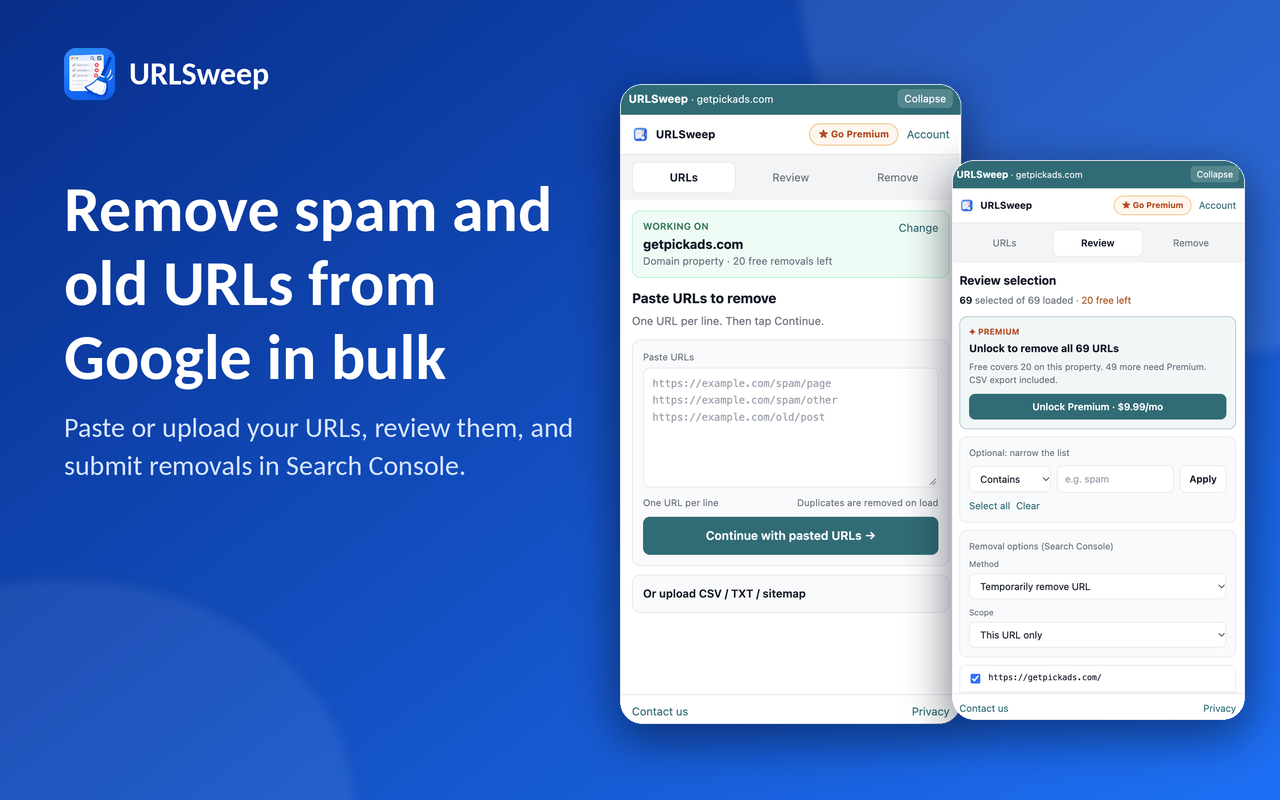
1 / 5URLSweep is a Chrome extension for Google Search Console Removals. Paste or upload URLs, import a sitemap, narrow the list with contains / regex / prefix, then queue temporary URL removals (or clear cached URL) while a Removals tab stays open.
URL lists and queues stay in your browser (IndexedDB). Account and billing for Premium use the same Pick Ads auth used by other extensions.
Load URLs from a paste box, CSV/TXT file, or fetch a sitemap from your own site.
Contains, regex, or prefix matching with a selectable preview so you do not remove the wrong pages.
Keep Temporary removals open and signed in-URLSweep drives New request for each queued URL.
Temporarily remove one URL or every URL under a prefix, or clear cached URL when that method fits.
URL lists, filters, and queues stay on this device. Pick Ads never receives your URL list for Free or Premium.
Export queue status after a run when you need a shareable report.
$0
For large Removals jobs across a property.
$9.99 / month or $99.90 / year
Paste or import the spam URL list, preview matches, then queue temporary removals.
Filter a path prefix (for example /blog/old/), deselect keepers, then remove the rest.
Load a sitemap or export, keep production URLs unchecked, remove staging duplicates.
Use clear cached URL when you need Google to drop an outdated cached result for a URL.
A URL only counts as done when it appears under Submitted requests. Close Google’s Send feedback drawer if it appears so it does not block Removals dialogs.
No. URL lists, filters, and queues stay in your browser. Premium sign-in is only for billing entitlement.
Yes. Free includes upload, paste, sitemap, unlimited preview, and up to 20 completed removals per Search Console property.
Premium unlocks unlimited removals and CSV status reports. Pricing is $9.99 / month or $99.90 / year.
Keep the Temporary removals page open and signed in. URLSweep opens New request and confirms for you. Close Send feedback if Google opens it.
No. Google Search Console names describe compatibility only and do not imply affiliation or endorsement.
Removals run in your Search Console tab with your Google session. URL lists stay on-device. See the privacy policy for account, billing, and analytics details.
Find, filter, preview, and bulk-submit Removals-without uploading your URL list.
Get URLSweep for ChromeExplore other Pick Ads extensions, or browse the full extensions directory.