
Does Attachly work with Google Workspace?
Yes. Attachly supports personal Gmail and Google Workspace accounts, subject to account policies and the current product behavior.
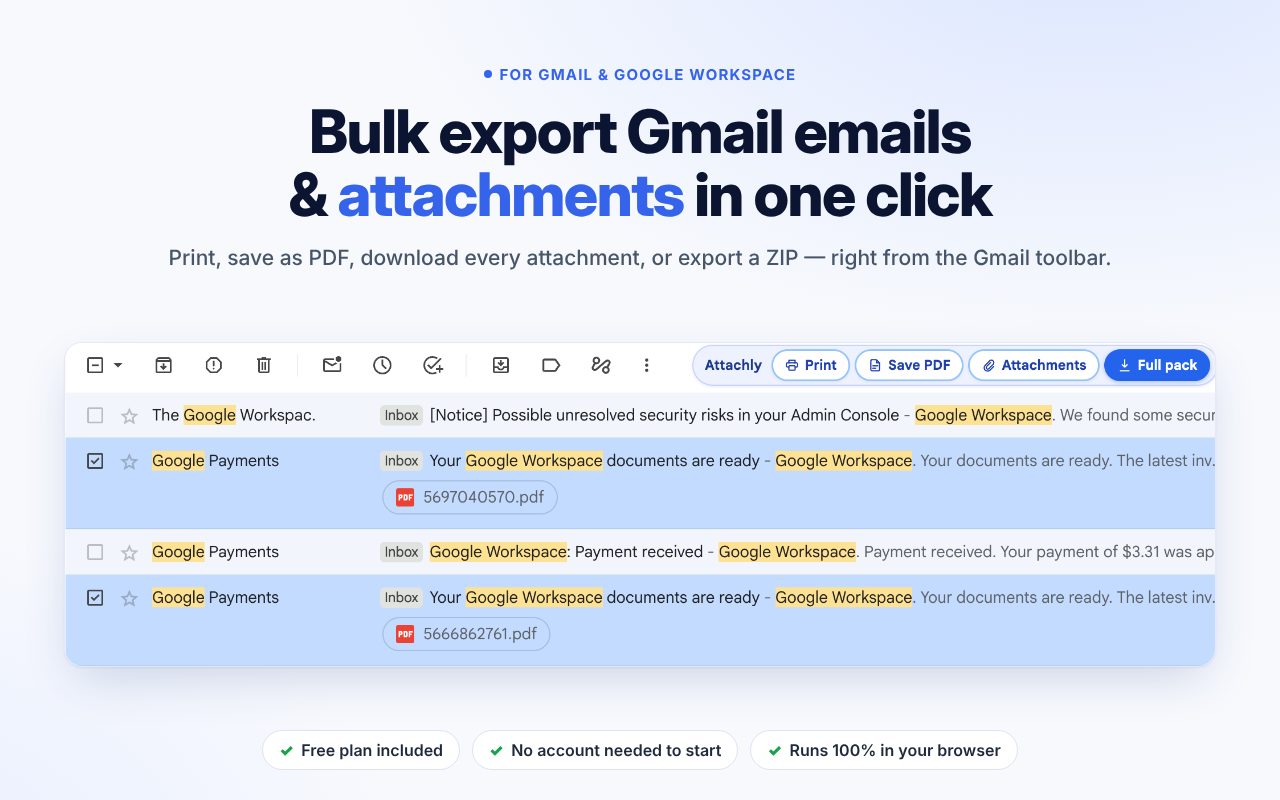
Print multiple Gmail emails, save selected messages as PDFs, download attachments in bulk, or export emails and files together in a dated ZIP archive. Attachly adds export tools to the Gmail toolbar so you can handle email records without opening every message individually.
Use it for invoices, receipts, bookkeeping, audits, project handovers, and email archiving.
Free plan available. Premium is $6.99 / month or $69.99 / year.
 1 / 5
1 / 5Attachly is a Chrome extension for exporting Gmail messages and attachments. Select the emails you need, choose an action from the Gmail toolbar, and save the resulting files to your computer.
Attachly supports personal Gmail and Google Workspace. Email content and files are processed locally in the browser according to the product’s current disclosure.
Print selected Gmail messages in one action.
Send selected messages through Chrome’s print dialog and choose Save as PDF.
Download attachments from selected emails while keeping original filenames.
Export selected emails and attachments together as a dated ZIP archive.
Full pack exports place each thread in its own folder with an HTML copy of the email for reference.
Use the free plan without creating an Attachly account.
$0
$6.99 / month or $69.99 / year
Save selected Gmail messages and attachments for accounting workflows.
Export email threads and related files into dated archives for later reference.
Collect selected correspondence and documents without manually opening every email.
Package relevant email conversations and attachments for a team or project handover.
Use Attachly with supported Gmail workflows for personal Gmail and Google Workspace accounts.
Yes. Attachly supports personal Gmail and Google Workspace accounts, subject to account policies and the current product behavior.
Yes. Select the emails and use Attachments to bulk-download their attachments.
Select the messages, click Save PDF, and choose Save as PDF in Chrome’s print dialog.
The product states that email content and attachments are processed locally in the browser and are not uploaded to GetPickAds servers. Refer to the current privacy policy for full details.
No account is required for the Free plan. Sign-in is required to purchase or restore Premium.
Print is unlimited. Save PDF, Attachments, and Full pack each have a limit of 3 exports per day.
Premium costs $6.99 / month or $69.99 / year and removes the daily export limits for PDF, attachments, and Full pack.
Attachly is designed to process email content and attachments locally in the browser.
Print, save PDFs, bulk-download attachments, or package selected emails into a ZIP archive with Attachly.
Add Attachly to Chrome - Free