
What are HTTP headers?
HTTP headers carry metadata between clients and servers. Developers use them for authentication, caching, content handling, and browser security policies.
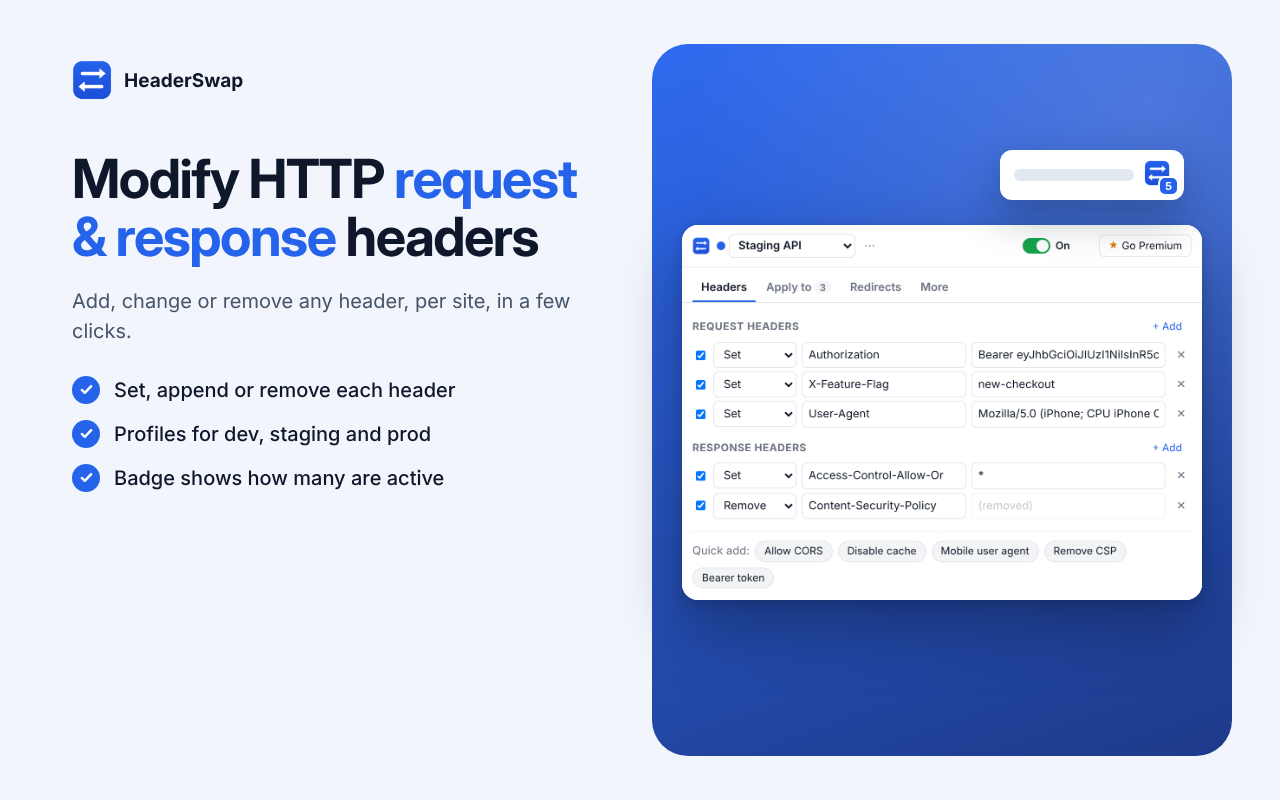
Add, change, or remove HTTP request and response headers for selected sites. HeaderSwap helps developers and QA teams test CORS behavior, set user agents, send authentication tokens, adjust security headers, and redirect URLs while developing and testing web applications.
Apply profiles to all sites or limit them to specific domains, URL patterns, or regular expressions.
Free plan available. Premium is $4 / month or $40 / year.
 1 / 5
1 / 5HeaderSwap is a Chrome extension for managing HTTP headers and URL redirects during web development and testing. Create profiles for different projects or environments, apply presets, and switch configurations when needed.
It uses Chrome’s declarativeNetRequest API. HeaderSwap changes headers but is designed not to read page content or network traffic - see the privacy policy for details.
Moving from ModHeader? Export profiles there, then paste JSON or drop the file into HeaderSwap for conversion where supported.
Add, change, or remove headers such as Authorization, Cookie, User-Agent, Referer, and custom X- headers.
Change supported response headers, including those used when testing CORS or browser security behavior.
Apply settings to all sites or restrict them by domain, URL pattern, or regular expression.
Redirect URLs using regular expressions and capture groups.
Keep separate configurations for development, staging, and production.
Use supported presets such as Allow CORS, Disable cache, Mobile user agent, Remove CSP, and Bearer token.
Import compatible profiles by pasting JSON or dropping an exported file.
Share profile configurations through links, and pause all configured modifications with one switch.
$0
$4 / month or $40 / year
Test request and response behavior across local, staging, and production environments.
Reproduce header-related conditions and verify how applications respond to different headers.
Test authorization headers, user-agent behavior, and API routing scenarios.
Adjust supported response headers to test CORS behavior during development. Changing browser-side headers does not replace correct server-side CORS configuration in production.
Test selected browser and HTTP header configurations in authorized environments.
HTTP headers carry metadata between clients and servers. Developers use them for authentication, caching, content handling, and browser security policies.
It can modify supported headers for testing. Proper production CORS behavior still needs to be configured by the server or API owner.
The product supports setting the User-Agent header in applicable requests. Browser-level behavior and site restrictions may affect results.
Yes. Profiles can be used to separate configurations for different projects or environments. Free and Premium profile limits differ.
Yes. Export profiles from ModHeader, then paste the JSON or drop the file into HeaderSwap for conversion where supported.
HeaderSwap is built on Chrome’s declarativeNetRequest API and is designed to modify headers without reading page content or traffic. See the privacy policy for details.
Premium is $4 / month or $40 / year.
Profiles stay on your device unless you turn on Premium sync. Anonymous usage stats can be turned off. See the privacy policy for full details.
Create profiles, target specific sites, and switch header configurations for your development and QA workflows.
Get HeaderSwap for Chrome